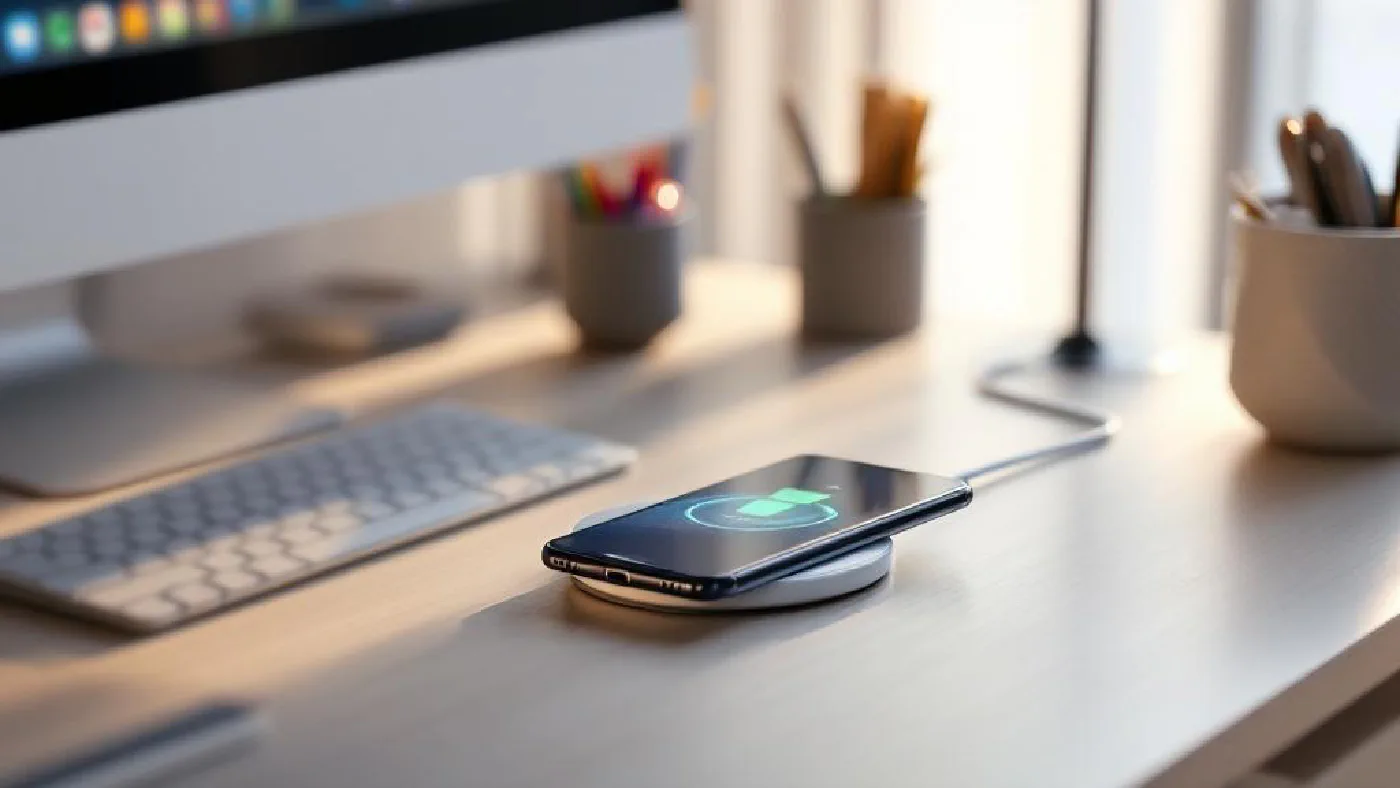
If your desk has a tangle of Lightning cables, USB-C cords, and watch chargers sprawling across it, a wireless charger is one of the simplest upgrades you can make. Drop your phone on a pad, set your earbuds beside it, and they charge — no fumbling with connectors, no cable wear, no clutter.
In 2026, the Qi2 standard has made wireless charging faster and more reliable than ever. Magnetic alignment (the same technology behind MagSafe) is now universal across both iPhone and Android flagships, meaning your phone snaps into the perfect charging position every time. Speeds have climbed to 15W as standard, with some chargers pushing higher for compatible devices.
We’ve tested over 20 wireless chargers to find the seven that work best on an office desk — prioritising charging speed, multi-device support, build quality, and how good they look sitting next to your keyboard and desk mat.
Quick Comparison Table #
| Charger | Price (USD/GBP) | Devices | Max Speed | Mounting | Best For |
|---|---|---|---|---|---|
| Belkin BoostCharge Pro 3-in-1 | $150 / £129 | Phone + Watch + Earbuds | 15W | Stand | Apple ecosystem |
| Anker 313 MagGo | $90 / £79 | Phone | 15W | Foldable pad | Budget MagSafe |
| Mophie Snap+ | $40 / £35 | Phone | 7.5W | Stand | Portable |
| Nomad Base One Max | $130 / £109 | Phone | 15W Qi2 | Flat pad | Premium design |
| Apple MagSafe Charger | $39 / £35 | Phone | 15W | Puck | Official Apple |
| Samsung Wireless Charger Duo | $90 / £79 | Phone + Watch/Buds | 15W | Flat pad | Galaxy users |
| Courant Catch:3 | $350 / £299 | Up to 3 devices | 15W | Flat pad | Luxury |
1. Belkin BoostCharge Pro 3-in-1 — Best Wireless Charger Overall #
Price: $150 / £129 Check price on Amazon US → Check price on Amazon UK →
The Belkin 3-in-1 is the charger we’d recommend to anyone deep in the Apple ecosystem. It charges your iPhone (magnetically held upright at a viewable angle), Apple Watch, and AirPods simultaneously — three devices, one footprint on your desk that’s barely larger than a coffee mug.
The magnetic iPhone mount holds the phone securely in both portrait and landscape orientation, which means you can use it as a makeshift video call stand or glance at notifications while it charges. MagSafe delivers the full 15W to compatible iPhones, and the Apple Watch charger supports fast charging on Series 7 and later.
In our testing, a fully drained iPhone 15 Pro reached 100% in about 2.5 hours — not the fastest charging method in the world, but perfectly adequate for a device that sits on your desk all day. The Apple Watch charged from flat to full in about 2 hours. Build quality is excellent, with a weighted base that prevents the unit from sliding around when you grab your phone.
Pros #
- Charges iPhone, Apple Watch, and AirPods simultaneously
- MagSafe magnetic alignment holds phone securely
- Compact footprint (5.7 inches) takes minimal desk space
- Adjustable viewing angle for notifications and calls
- Official Apple certification ensures compatibility
- Nightstand mode dims indicator lights
Cons #
- Apple-focused — Android devices charge at slower Qi speeds
- Premium pricing for a charger
- White colour shows desk dust easily
- No USB-A passthrough port
Best for: Apple users with iPhone, Watch, and AirPods who want a single, elegant charging station that replaces three separate cables.
2. Anker 313 MagGo — Best Value MagSafe Charger #
Price: $90 / £79 Check price on Amazon US → Check price on Amazon UK →
Anker consistently delivers excellent value, and the 313 MagGo is no exception. It’s a foldable MagSafe-compatible charger with a built-in kickstand that props your phone up in landscape or portrait mode — essentially a charging pad and phone stand in one compact package.
The magnetic grip is strong enough to hold your phone through bumps and desk vibrations, and ventilation holes on the underside prevent heat buildup during extended charging. We measured consistent 15W output to MagSafe-compatible iPhones, with a full charge completing in about 2 hours and 10 minutes.
The foldable design makes it excellent for travel — it lays flat in a laptop bag and weighs next to nothing. On the desk, the kickstand angle is well-chosen for glancing at your phone while working. It charges a single device only, so if you need multi-device support, look at the Belkin or Samsung options instead.
Pros #
- Affordable MagSafe-speed charging
- Foldable design doubles as phone stand
- Strong magnetic alignment
- Ventilation prevents overheating
- Lightweight and travel-friendly
- USB-C input (no proprietary cables)
Cons #
- Single device only — no watch or earbuds charging
- Stand angle isn’t adjustable
- No included wall adapter (USB-C cable only)
- Magnets won’t work with non-MagSafe cases
Best for: iPhone users who want fast MagSafe charging at a reasonable price, especially those who travel frequently.
3. Mophie Snap+ Wireless Charging Stand — Best Portable Option #
Price: $40 / £35 Check price on Amazon US → Check price on Amazon UK →
The Mophie Snap+ is the most affordable charger in our lineup and the easiest to move around. It uses Mophie’s snap adapter system — a thin magnetic ring you attach to your phone case — to provide magnetic alignment on devices that don’t natively support MagSafe. This means Android phones get the magnetic snap-on experience too.
Charging speed tops out at 7.5W, which is slower than the 15W Qi2 chargers in this list. For desk use where your phone sits charging all day, this barely matters — it’ll be at 100% well before lunch. Where it would matter is if you need a quick top-up before heading out.
The stand holds your phone at a comfortable viewing angle, and the slim profile means it barely registers as desk clutter. At $40, it’s an easy impulse purchase to test whether wireless charging fits your workflow before investing in a premium multi-device station.
Pros #
- Very affordable entry point
- Snap adapter works with any phone case
- Slim, portable design
- Good viewing angle as a phone stand
- Works with both iPhone and Android
Cons #
- 7.5W maximum charging speed — slower than competitors
- Snap adapter ring required for non-MagSafe phones
- No multi-device support
- Lightweight base can slide on smooth desks
Best for: Anyone testing wireless charging for the first time, or who needs a cheap, portable option for a secondary desk or travel.
4. Nomad Base One Max — Best Premium Design #
Price: $130 / £109 Check price on Amazon US → Check price on Amazon UK →
If aesthetics matter as much as function — and on a nicely curated desk, they should — the Nomad Base One Max is the wireless charger that looks the part. The metal and glass construction feels premium in a way that plastic chargers simply don’t, and the weighted base sits solidly on your desk without sliding.
It supports the full Qi2 15W standard with magnetic alignment, so your phone snaps into position and charges at maximum speed without fiddling. The charging indicator is a subtle LED that’s visible without being distracting — a thoughtful design choice for a desk that might also serve as a nightstand.
The Base One Max charges a single device. Nomad makes multi-device versions (Base Station Pro), but for a clean, minimal desk with a single phone, this is the most elegant option available.
Pros #
- Stunning metal and glass construction
- Full Qi2 15W with magnetic alignment
- Heavy, weighted base stays put
- Subtle LED indicator
- Compatible with MagSafe cases
- Matches premium desk setups beautifully
Cons #
- Premium price for a single-device charger
- No watch or earbuds charging
- Glass surface can show fingerprints
- Only available in limited colours
Best for: Design-conscious users who want their wireless charger to complement a premium desk setup rather than detract from it.
5. Apple MagSafe Charger — Best Official Apple Option #
Price: $39 / £35 Check price on Amazon US → Check price on Amazon UK →
Sometimes simple is best. Apple’s MagSafe Charger is a flat puck with a USB-C cable — that’s it. Magnets snap it to the back of your iPhone, it charges at 15W, and it detaches when you pick up your phone. No stand, no base, no frills.
The advantage is flexibility. You can stick it to the back of your phone while you work, set it flat on the desk, or mount it to a third-party stand for an upright position. The disadvantage is that without a stand, it just sits on your desk like a small coaster, which isn’t the most elegant solution.
For pure charging performance, it’s identical to any MagSafe charger — Apple’s own hardware ensuring full compatibility. It’s also the most affordable way to get genuine 15W MagSafe speed. Just note that the wall adapter isn’t included — you’ll need a 20W USB-C adapter.
Pros #
- Official Apple product — guaranteed MagSafe compatibility
- Full 15W charging speed
- Affordable and simple
- Flat design works with third-party stands
- Thin and portable
Cons #
- No stand included — lies flat on desk
- Wall adapter sold separately
- No multi-device charging
- Cable is relatively short (1 metre)
Best for: iPhone users who want the simplest, most reliable MagSafe charging experience at the lowest price.
6. Samsung Wireless Charger Duo — Best for Galaxy Users #
Price: $90 / £79 Check price on Amazon US → Check price on Amazon UK →
Samsung’s Charger Duo is the Android equivalent of the Belkin 3-in-1 — a single unit that charges your Galaxy phone at 15W on an angled pad and your Galaxy Watch or Buds on a flat pad beside it. The angled phone pad is well-designed, holding your phone at a comfortable viewing angle for notifications.
Fast Wireless Charging 2.0 delivers the full 15W to compatible Galaxy devices, and the unit works with any Qi-compatible phone at standard speeds. The compact design takes up minimal desk space, and the white or black colour options match Samsung’s broader accessory ecosystem.
It won’t fast-charge iPhones (which need MagSafe for 15W), so this is firmly a Samsung-first recommendation. If you’re in the Galaxy ecosystem, it’s the tidiest two-device charging solution available.
Pros #
- Charges Galaxy phone and watch/buds simultaneously
- 15W Fast Wireless Charging 2.0 for Galaxy devices
- Angled phone pad doubles as notification stand
- Compact, clean design
- Works with any Qi device at standard speeds
Cons #
- Optimised for Samsung — other phones charge slower
- No Apple Watch charging
- Fan noise occasionally audible in quiet rooms
- White model yellows slightly over time
Best for: Samsung Galaxy users who want to charge their phone and watch or earbuds from a single desk pad.
7. Courant Catch:3 — Best Luxury Wireless Charger #
Price: $350 / £299 Check price on Amazon US → Check price on Amazon UK →
The Courant Catch:3 is a wireless charger that doubles as a piece of desk furniture. Wrapped in Italian leather or linen with a solid metal base, it charges up to three devices simultaneously on its elongated surface. Drop your phone, earbuds, and a second phone (or any Qi-compatible device) and they all charge at once.
There’s no magnetic alignment — devices sit freely on the pad and charge via standard Qi coils positioned across the surface. This means alignment is less precise than MagSafe, and you might occasionally place a device slightly off-centre. But the trade-off is universal compatibility — anything Qi-compatible works, regardless of brand.
At $350, this is more luxury accessory than practical purchase. But if you’ve invested in a Grovemade desk shelf and premium desk organiser, the Courant matches that aesthetic perfectly.
Pros #
- Gorgeous Italian leather and metal construction
- Charges up to three devices simultaneously
- Universal Qi compatibility — works with any brand
- Premium desk accessory aesthetic
- Available in multiple leather and linen finishes
Cons #
- Eye-watering price for a wireless charger
- No magnetic alignment — placement can be imprecise
- No Apple Watch fast charging
- Large footprint compared to other chargers
Best for: Design enthusiasts who want their charger to look as good as the rest of their curated desk setup.
Our Top Pick #
For most desk setups, the Belkin BoostCharge Pro 3-in-1 is the best wireless charger — it charges three Apple devices simultaneously, looks clean, and takes up minimal space. One charger replaces three cables, which is exactly the kind of simplification a tidy desk needs.
If you’re not in the Apple ecosystem:
- Best for Samsung: The Samsung Wireless Charger Duo handles phone and watch in one unit.
- Best budget: The Mophie Snap+ at $40 is an easy way to test wireless charging.
- Best design: The Nomad Base One Max is the most elegant single-device charger.
- Best luxury: The Courant Catch:3 is a statement piece for premium desks.
Buyer’s Guide #
Qi vs Qi2 vs MagSafe #
Qi is the universal wireless charging standard — any Qi charger works with any Qi phone, but alignment is manual and speeds vary. MagSafe added magnets for perfect alignment and 15W speed on iPhones. Qi2 is the evolution: it adopts MagSafe’s magnetic alignment as a universal standard, so both iPhone and Android phones benefit. In 2026, Qi2 is the standard to look for.
Charging Speed #
15W is the practical maximum for most phones in 2026. Some chargers advertise higher wattage, but phones cap their wireless input to manage heat. The real-world difference between 10W and 15W is about 30 minutes on a full charge — meaningful if you’re topping up quickly, irrelevant if your phone sits on the charger all day.
Single vs Multi-Device #
If you charge a phone, watch, and earbuds daily, a 3-in-1 charger eliminates three cables and three power adapters. If you only charge your phone wirelessly, a single-device pad is smaller, cheaper, and simpler. Don’t pay for multi-device if you won’t use it.
Heat Management #
Wireless charging generates heat — it’s inherent to the technology. Quality chargers manage this with ventilation, thermal cutoffs, and intelligent power regulation. Cheap chargers without these features can degrade your phone’s battery faster over time. All seven chargers in this guide handle heat safely.
Desk Integration #
Think about where the charger sits in your workflow. A flat pad works if your phone lies face-up. A stand is better if you want to see notifications while working. Consider how it pairs with your desk organiser and cable management setup.
FAQ #
Does wireless charging work through a case? #
Yes, for most cases under 3mm thick. MagSafe and Qi2 cases with built-in magnets work best. Thick rugged cases or cases with metal plates may block charging — remove them or switch to a compatible case.
Is wireless charging bad for battery health? #
Not with modern chargers. Qi2 and MagSafe include intelligent thermal management that slows charging when the phone gets warm. The convenience of keeping your phone topped up throughout the day — avoiding deep discharge cycles — may actually be better for long-term battery health than letting it drain to 10% and fast-charging it back.
Can I use a wireless charger with a monitor arm? #
Yes — several monitor arms have USB passthrough ports that can power a small wireless charger. Alternatively, route the charger’s USB-C cable through your desk’s cable management alongside your other peripherals.
What if my phone doesn’t have wireless charging? #
Most phones released after 2020 support Qi wireless charging. If yours doesn’t, you can add it with a Qi receiver — a thin pad that plugs into your phone’s USB-C port and sits under your case. It’s not elegant, but it works.
Do wireless chargers use power when no device is on them? #
Technically yes, but the standby draw is negligible — typically under 0.5W. You won’t notice it on your electricity bill. If it bothers you, plug the charger into a smart power strip that you can switch off.
How do I choose between a pad and a stand? #
Pads are lower-profile and work well if your phone lies flat on the desk. Stands hold your phone upright so you can see the screen — better for notifications, FaceTime, and using your phone as a secondary display. For a desk, stands are generally more useful.